

01PAUSE
Take a moment for you.
How are you feeling? Pause for a breath and notice what you need today.
 morning path
A MORNING OF YOUR OWN
Build your routine, keep track of little habits, and find a starting point with Pip AI. Make your morning your own.
Coming to iOS and Android
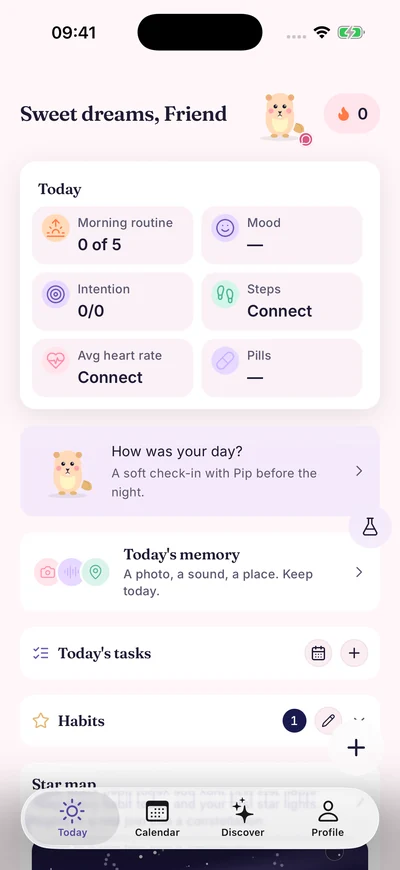
A LITTLE MORNING COMPANION
Pip is here for your small steps. If you like, find a starting point for your morning with Pip AI.
ONE MORNING. THREE SMALL STEPS.
Shape your morning around you. It doesn’t have to be perfect.
How are you feeling? Pause for a breath and notice what you need today.
Choose your routine. A glass of water, a few calm breaths, or a habit of your own.
Look back on your days and habits. Let your garden grow with completed habits and daily tasks.
MAKE ROOM FOR YOURSELF
From your morning routine to the little notes of your day. A space that feels like you.
Breathe in. Breathe out.
Breathing preview on the webArrange steps and timings around you. Begin in your own order.
Make a little space for calm with guided breathing exercises.
Record how you feel. Look back and notice the changes in your days.
Track small repetitions. Give yourself a gentle reminder to keep going.
Set medication reminders. Keep your daily rhythm in one place.
A little companion for your mornings, and a garden that grows with you.
PIP AI
Sometimes you just need a starting point. Tell Pip AI how you feel, and talk through little steps that fit your routine and your day.
AI & privacyI don’t know where to begin this morning.

You don’t have to do everything at once. Shall we start with a glass of water and a look out of the window?
A small beginning is enough today.
Illustrative conversation prepared for this page. This is not a live AI chat.
MORNING PATH / PREVIEW
App marketing previews prepared with example entries.
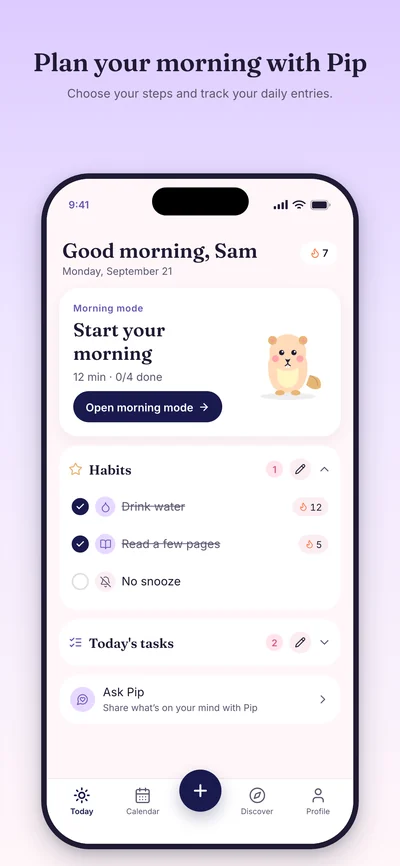
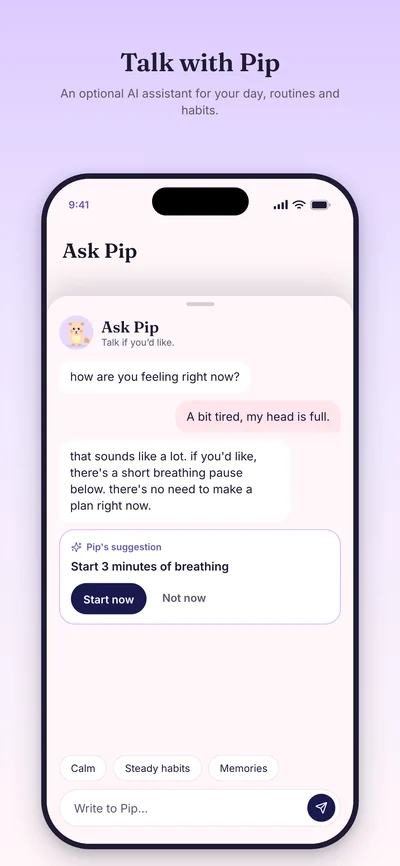
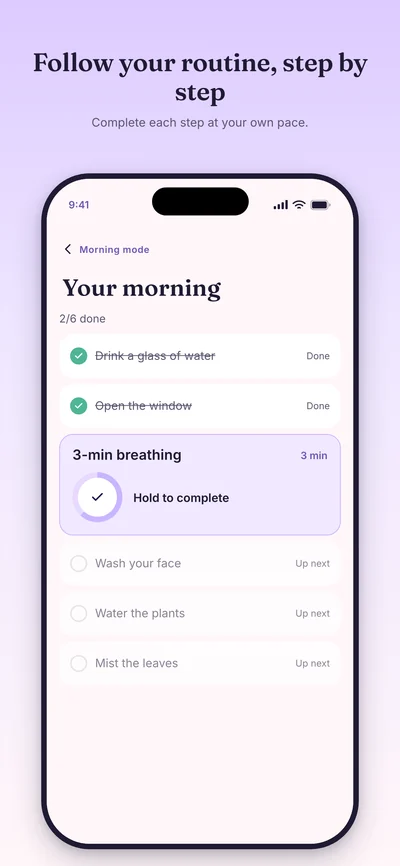
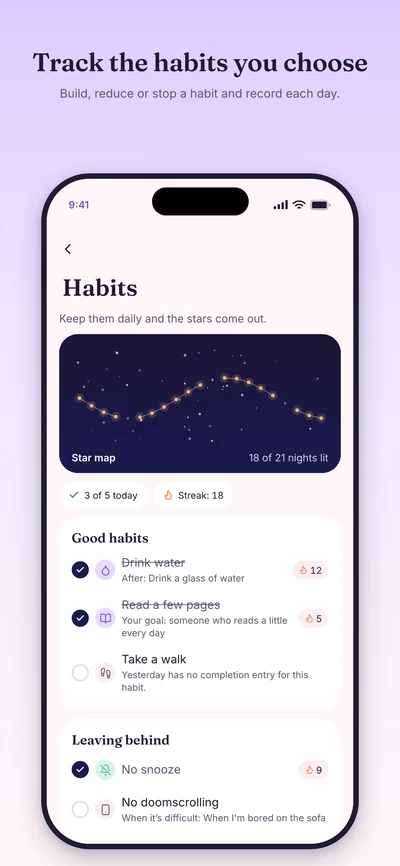
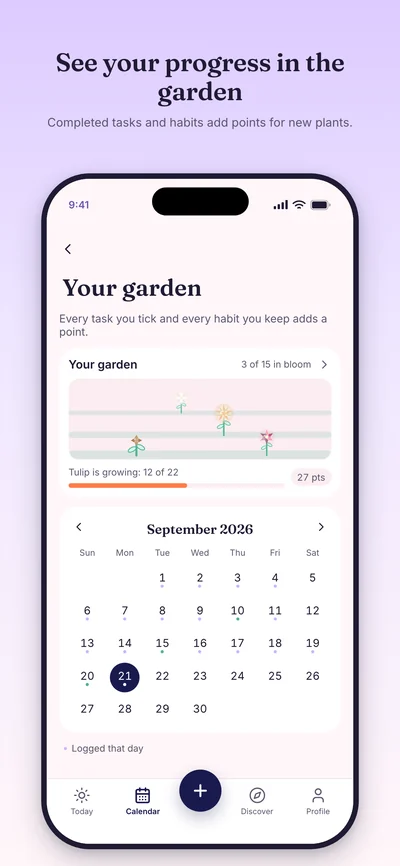
Scroll to explore. When the gallery is focused, you can also use the arrow keys.
A PLACE FOR YOUR SMALL STEPS TO GROW
Completed habits and daily tasks leave a little mark in your garden. From a tiny sprout to luminous flowers, each one is part of your path.
Flower designs from the app
Small steps bloom, too.
Scroll to grow. Choose a flower and watch it bloom.Choose a flower. Take a closer look.
YOUR MOMENT IS YOUR OWN
In the current version, journals and photos stay on your device. Optional AI sharing requires separate consent. We explain clearly which data goes where.
Read the privacy detailsA LITTLE CLARITY
Morning Path hasn’t launched in the stores yet. App Store and Google Play links will be added here when they’re ready.
Yes. You can arrange routine steps and timings around yourself and keep track of habits that feel right for you.
Journals and photos stay on your device. Creating an account doesn’t mean cloud sync. Apple, Google and email sign-in code is prepared for Supabase; production server setup and real-device tests must be completed.
No. AI chat is optional. With your explicit consent, your conversations and selected context are sent through a server to Anthropic. See the privacy page for details.
Morning Path supports daily routines and personal tracking. It does not diagnose, treat or provide medical advice; medication reminders don’t replace guidance from a health professional.
MAKE A LITTLE ROOM FOR TOMORROW
Morning Path is coming to iOS and Android. Small steps, at your own pace.
Store links are not available yet.


